
본문으로 건너뛰기

Lifestyle and health

Budjoy: income and expense tracker

Track daily income and expenses, set monthly budgets and follow your savings goals.

사용 가능 iPhone Android

Budjoy: income and expense tracker로 할 수 있는 일

Budjoy is an iPhone app for logging income and expenses in a few taps, with a large number pad and 20 ready-made categories. Set monthly budgets per category, create savings goals and read the month's summary in one app. No sign-up or account is needed and your data stays on your device.

이런 분께 추천

Anyone who wants to know where the money goes: students, employees and families who want to keep a monthly budget and save towards a goal.
주요 기능

  • Log income or expenses in a few taps with 20 ready-made categories, or create your own with an emoji
  • Import from a transfer-slip photo, then check the amount and date before saving
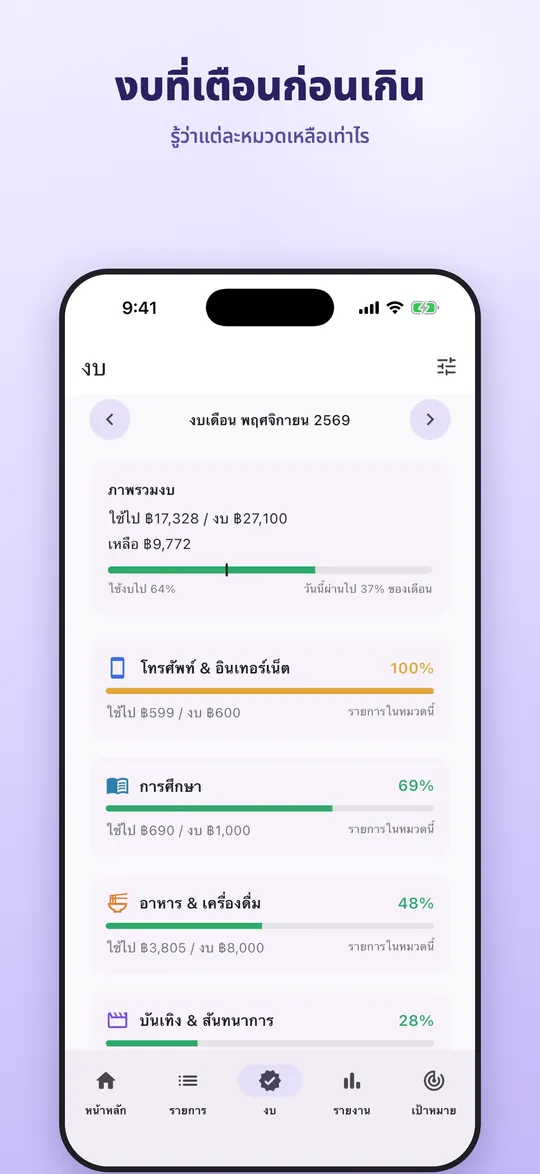
  • Monthly budgets per category with an alert when a category is nearly used up
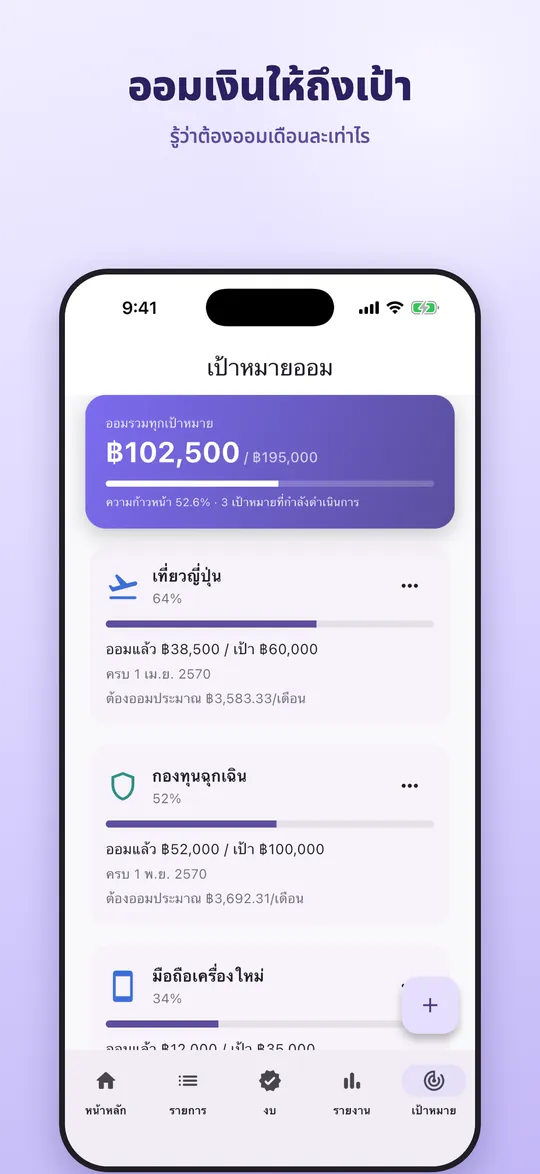
  • Savings goals: the app works out how much to save each month
  • No account needed; 15 languages and 26 currencies

App windows

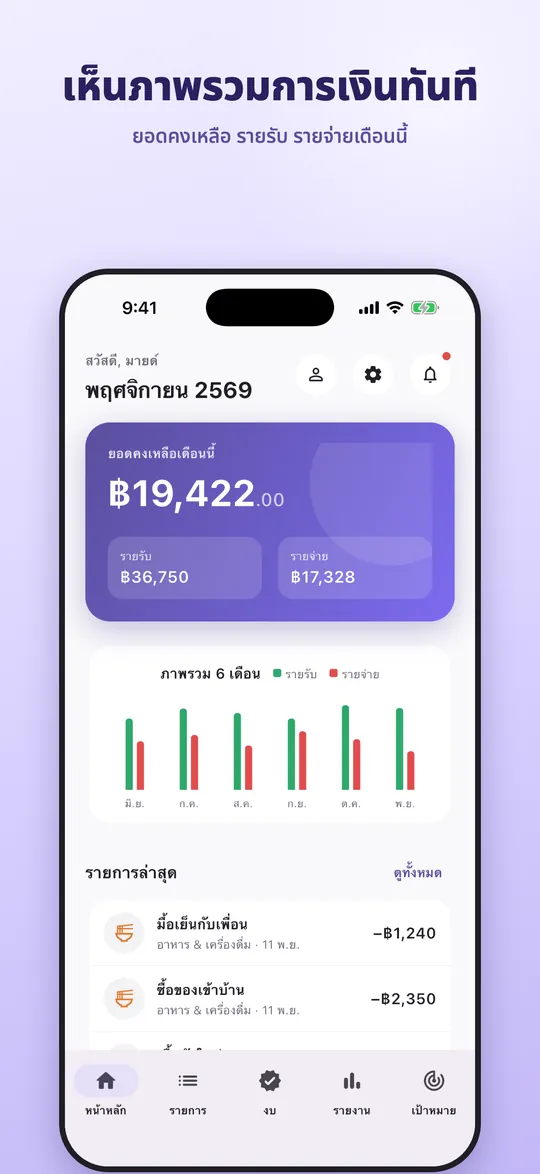
  • Budjoy home: balance and latest entries
    Budjoy home: balance and latest entries
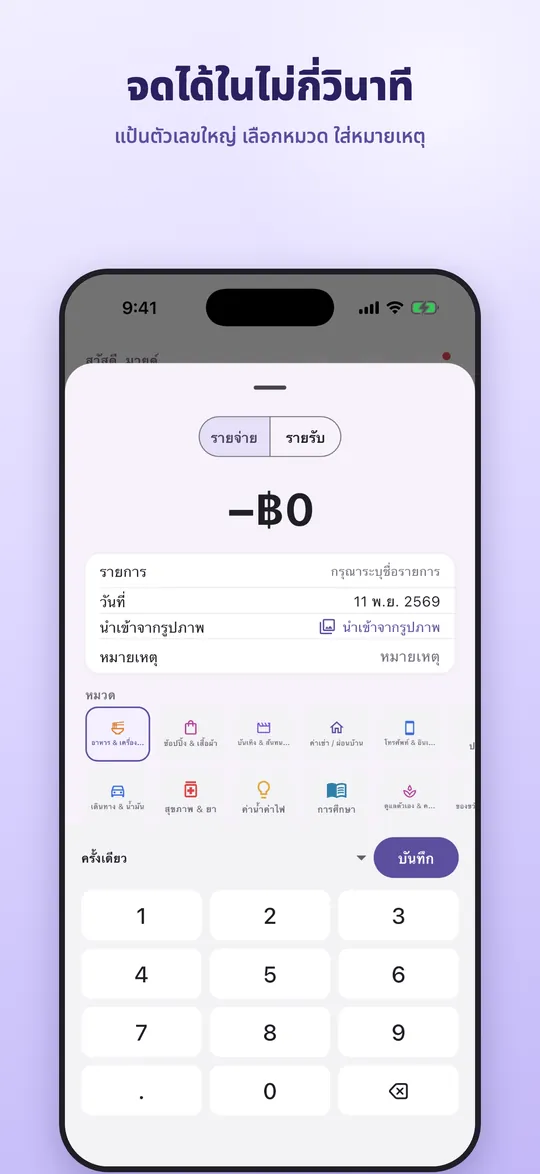
  • Budjoy add-entry screen
    Budjoy add-entry screen
  • Budjoy monthly budget per category
    Budjoy monthly budget per category
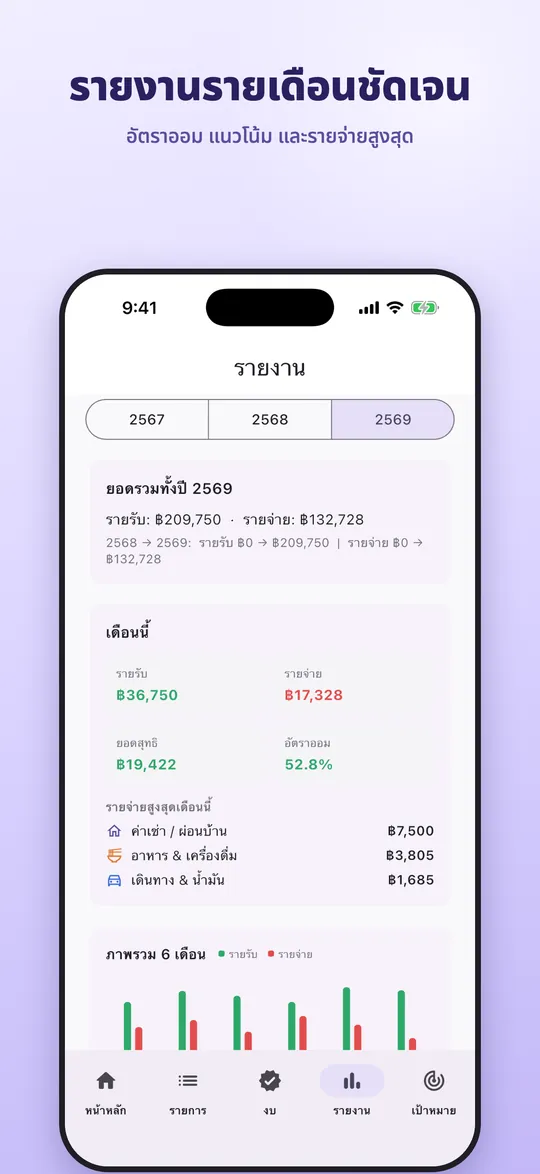
  • Budjoy monthly report
    Budjoy monthly report
  • Budjoy savings goals
    Budjoy savings goals
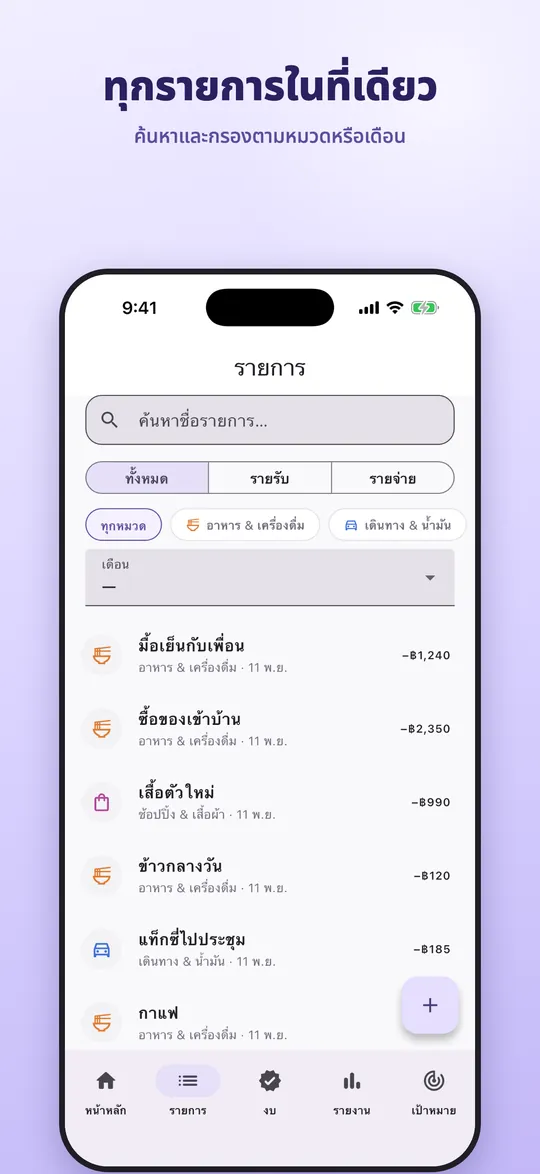
  • Budjoy transaction list
    Budjoy transaction list

How to use

  1. Download and open the app, enter the name you want to be called (or skip)
  2. Enter your current balance, set the first monthly budget and turn on the daily reminder; every step can be skipped
  3. Tap Add (+), choose income or expense, enter the amount, pick a category and add a note
  4. With a transfer slip, choose "Import from image" and check the amount and date before saving
  5. Open the Budget tab to set limits per category, or copy last month's budget
  6. Open the Goals tab to create a savings goal, then tap "Add savings" each time you save
  7. Open the Report tab for the net balance, savings rate and the month's biggest expenses
  8. Change the language or currency in Settings

자주 묻는 질문

Do I need an account?
No. Download it for free and start logging right away; your data stays on your device.
Is there an Android version?
It is on the App Store for iPhone now. Google Play is coming soon.
How do I import a transfer slip?
When adding an entry choose "Import from image". The app reads the amount, date and recipient and you check them before saving.
Is Premium required?
No. The main features are free. Premium is an optional subscription that removes ads, adds advanced reports and export.

Bloomoon: period tracker

사용 가능

A private period tracker with a cycle calendar, estimated ovulation days and a PDF report for your doctor.

  • iPhone
  • Android

A daily horoscope app for entertainment: 12 zodiac signs, tarot, lucky colours, fortune sticks and couple readings.
  • iPhone
  • Android

POSsme cloud POS

사용 가능

소매점, 카페, 음식점을 위한 클라우드 POS. 웹 브라우저에서 바로 사용합니다.

  • 웹 브라우저

모든 앱 보기

시작하고 싶거나 궁금한 점이 있나요?

설치와 시작을 팀이 도와드립니다.